
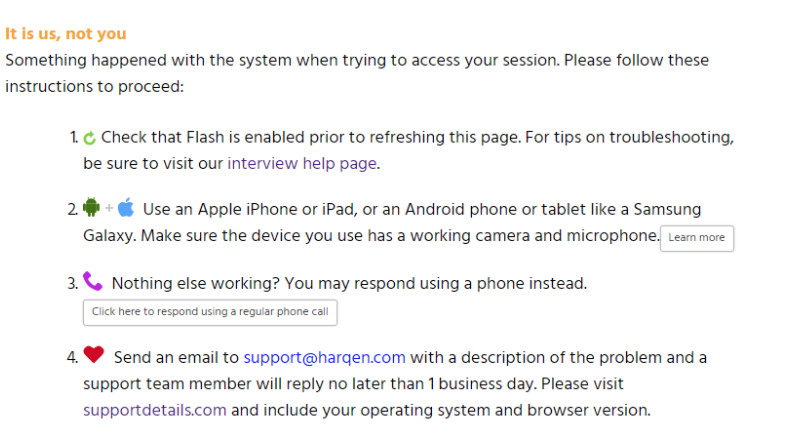
Due to a recent update in Windows 10, some candidates may experience an issue starting their video interviews. You may see an error like the following:
-----------
-------------
If you are utilizing Windows 10, please take the following steps:
First, type "camera" into the Windows search bar, then choose "Turn off camera systemwide"
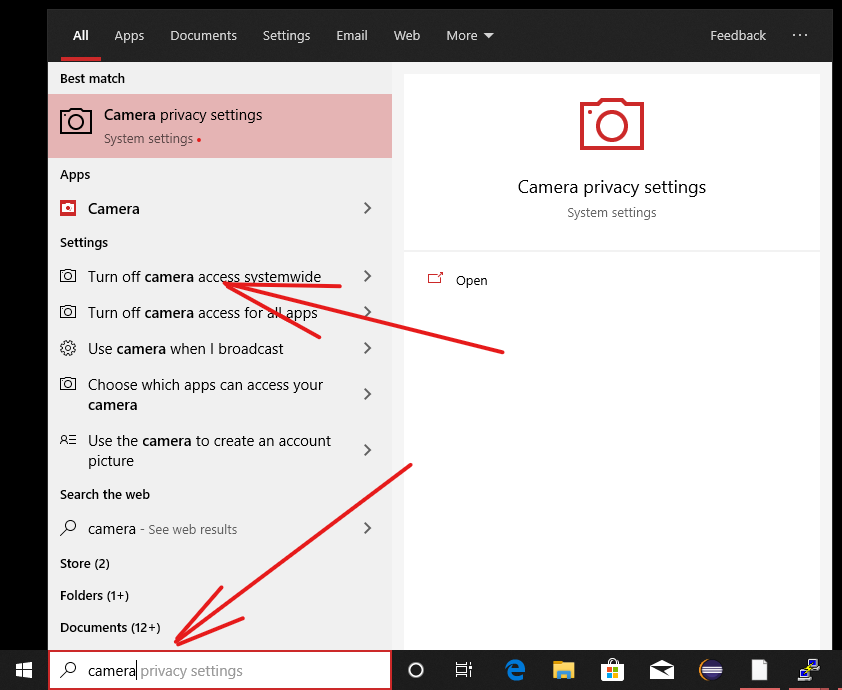
You will then see the following settings page. Then click "Change."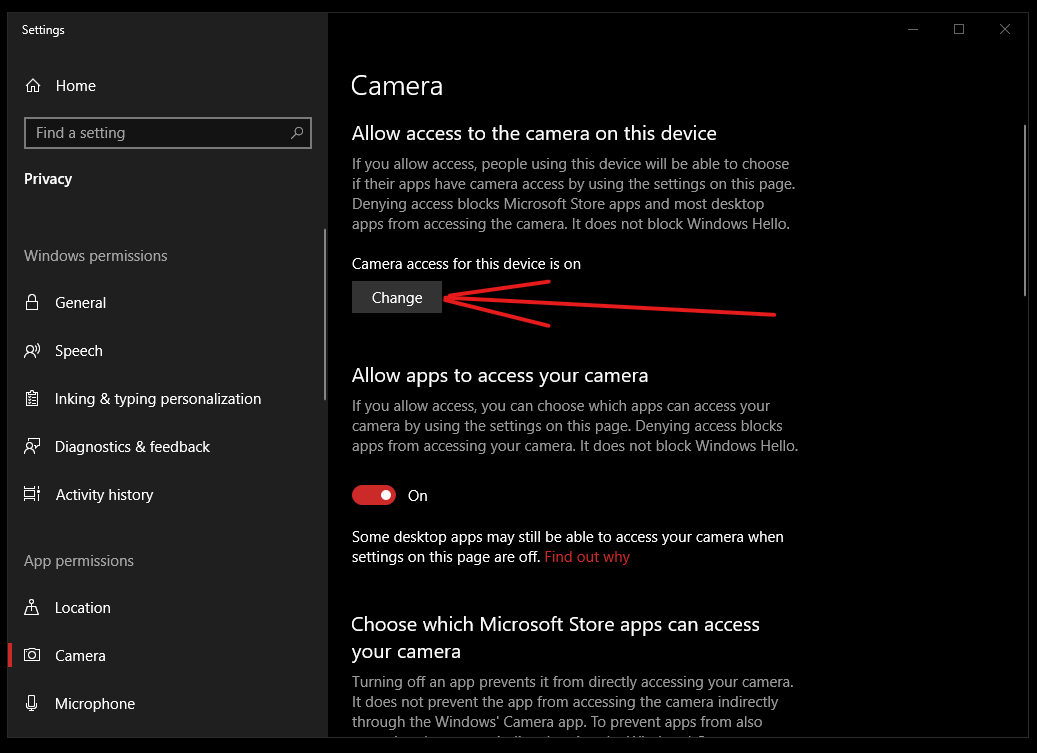
Make sure that "Camera access for this device" shows as "On."
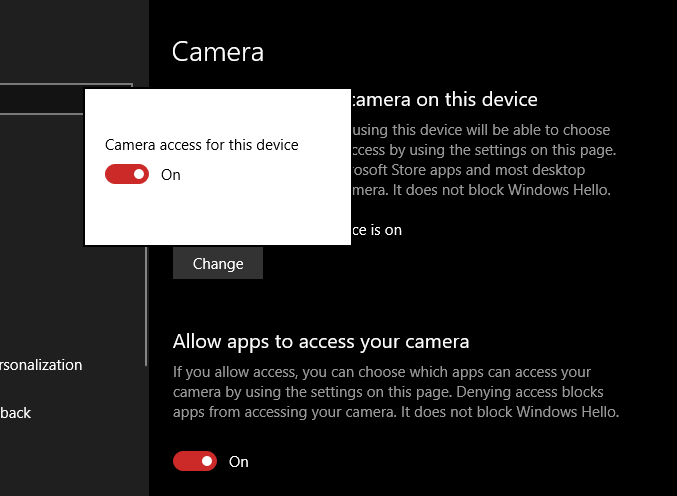
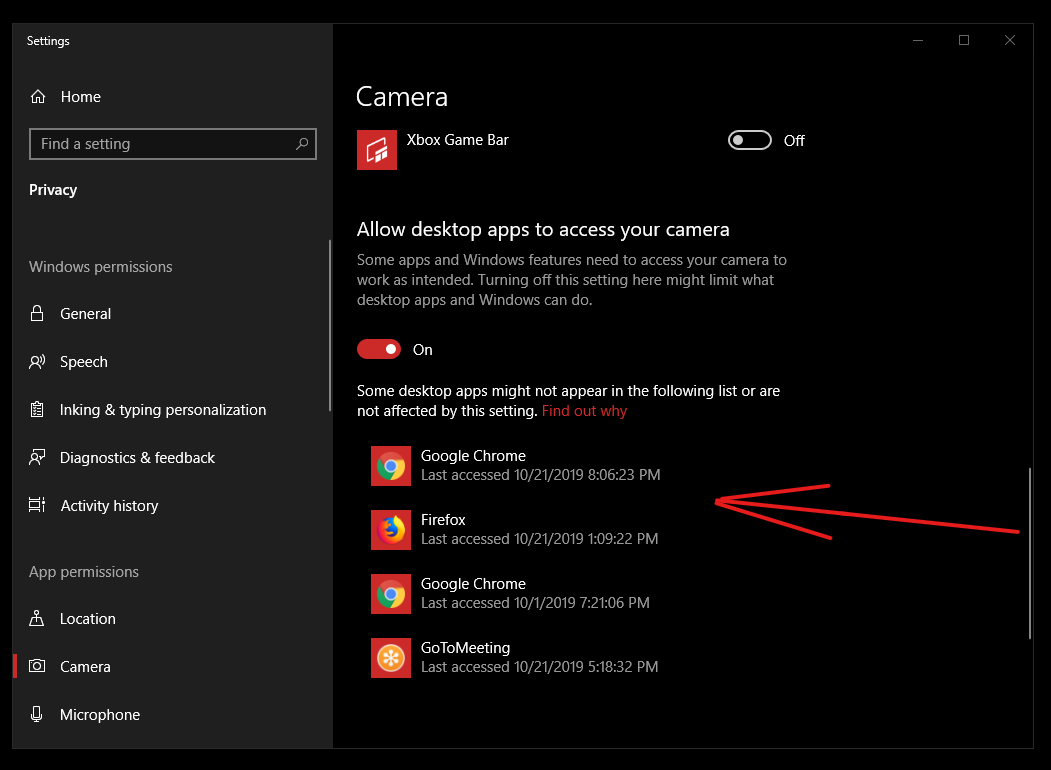
Then, scroll down to the listed applications and make sure your browser(s) are allowed access to the webcam.
Comments
0 comments
Article is closed for comments.